
What’s a PWA? (And Why Your Site Needs One)
Imagine if your website could put on a superhero cape and suddenly:
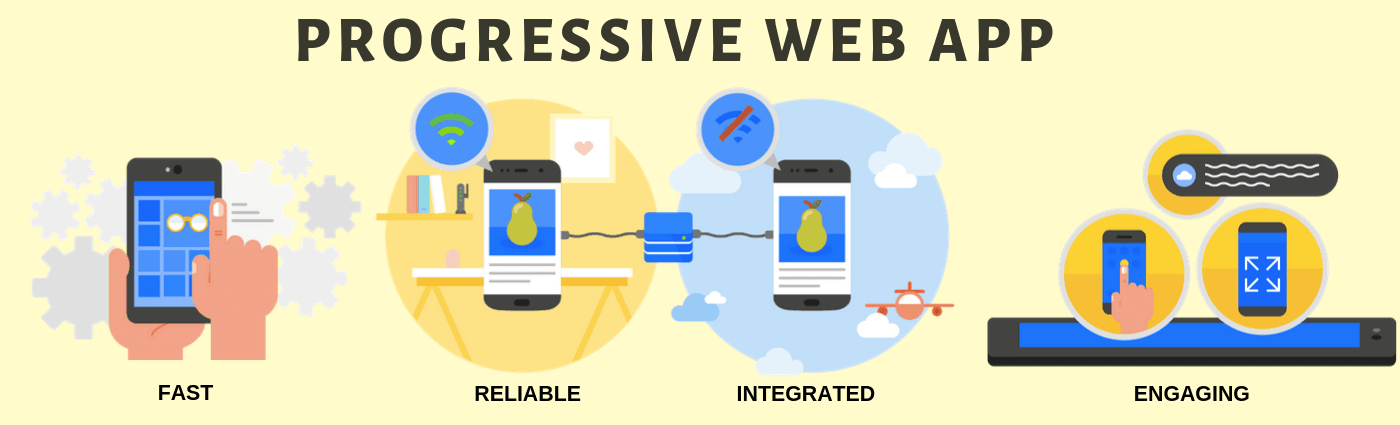
- Work offline like an app
- Load lightning-fast
- Send push notifications
- Live on phone home screens
That’s a Progressive Web App (PWA)! It’s not magic – just clever web tech that makes regular websites behave like native mobile apps.
The PWA Superpowers
⚡ Lightning Mode:
PWAs load instantly – even on shaky connections. Starbucks’ PWA loads in <2 seconds vs. their old 12-second site!
📴 Offline First:
Read articles or browse products without internet. Twitter Lite (a PWA) works even on 2G networks.
📲 App-Like Feel:
Smooth animations, no browser UI – Pinterest’s PWA increased user engagement by 60%.
🔔 Push Notifications:
Bring users back like apps do. Spotify’s PWA notifications drive 25% more logins.
Building Your First PWA (Start Here!)
Every PWA needs three ingredients:
1. The Manifest File (Your App’s ID Card)
{
  "name": "My Awesome PWA",
  "short_name": "AwesomeApp",
  "start_url": "/",
  "display": "standalone",
  "icons": [{
    "src": "icon-192.png",
    "type": "image/png",
    "sizes": "192x192"
  }]
}
This JSON file tells browsers how your app should look when installed.
2. Service Workers (Your Offline Butler)
// Register service worker
if ('serviceWorker' in navigator) {
  navigator.serviceWorker.register('/sw.js')
}

// Basic service worker (sw.js)
self.addEventListener('fetch', event => {
  event.respondWith(
    caches.match(event.request)
      .then(response => response || fetch(event.request))
  )
});
This JavaScript file handles caching and offline functionality.
3. HTTPS (The Security Shield)
PWAs require a secure connection. Free options:
- Cloudflare’s Universal SSL
- Let’s Encrypt certificates
When Should You Build a PWA?
Perfect for:
- 📚 Content sites (blogs, news)
- 🛒 E-commerce stores
- 🗓️ Productivity tools
- 📊 Dashboards
Not ideal for:
- 🎮 Heavy 3D games
- 📱 Apps needing full device access
Your PWA Action Plan
- ♻️ Audit your current site speed
- 📦 Add a Web Manifest
- 🛠️ Implement basic service worker
- 📲 Test with Chrome’s Lighthouse tool
PWA Success Stories
- 📈 Uber: 50kB PWA works on any device
- 📊 Forbes: Load time dropped from 6.5s to 2.5s
- 🛍️ Lancôme: 17% more conversions
Ready to make your website fly? Start small with caching and manifest file – even basic PWAs boost engagement. Your users (and Google rankings) will thank you!
Related Articles
- Web Dev Unwrapped: Your Friendly First Steps!
Ever wondered how websites work? Grab coffee as we unwrap web dev basics—no jargon, just fun! Your site-building journey starts here. - Build Your First Mobile App: A Fun, Easy Guide for Beginners
Discover how to turn an idea into a real mobile app—step by step, with tips, tools, and code snippets anyone can follow. - Web Development Made Simple: Build Your First Site in a Day
Learn the basics of web development with clear steps, real examples, and handy tips. No jargon, just fun and easy-to-follow guidance.