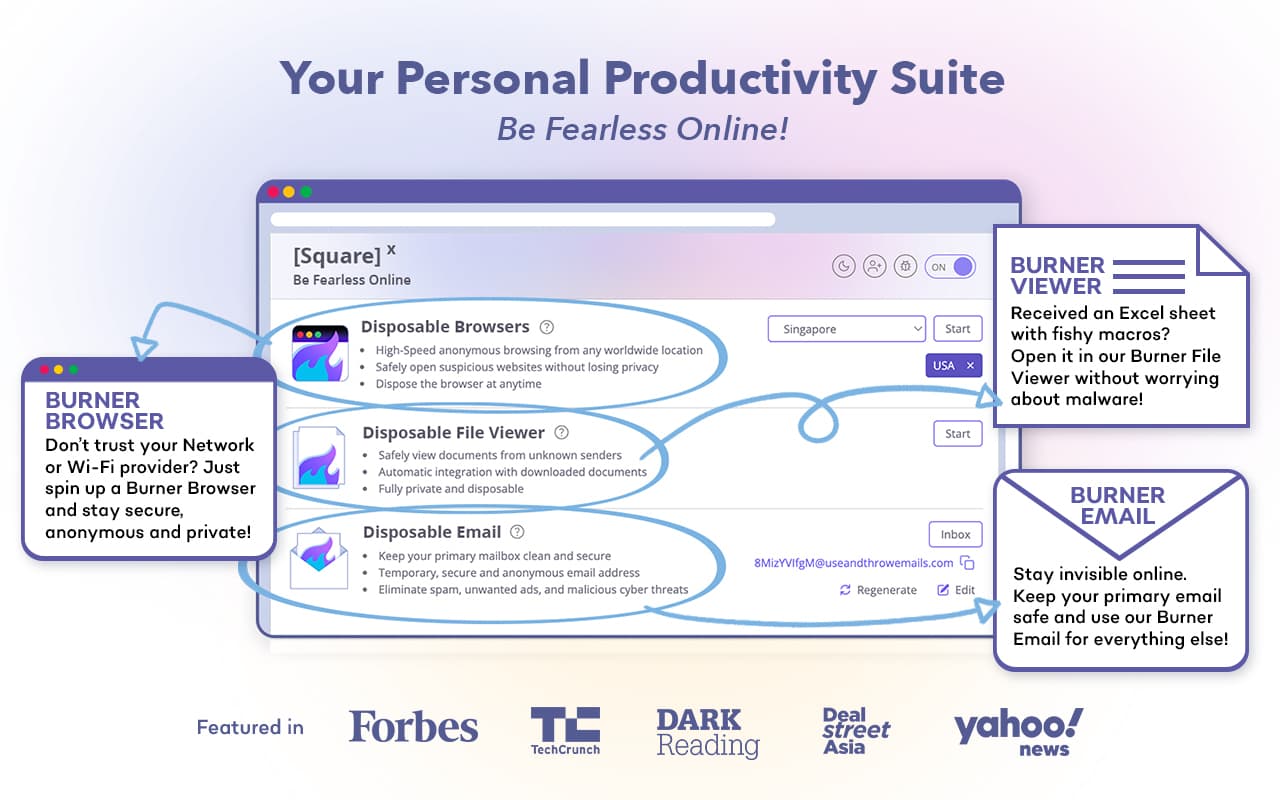

Let's be real. As developers and power users, we live in the riskiest part of the internet. We're constantly clicking on random GitHub repos, testing shady-looking demo links, downloading files from unknown sources, and signing up for new services. Every click feels like a potential security lottery.
I used to have that moment of hesitation - "Should I really click this?" - until I started using SquareX. It's not just another security extension; it's like having a digital bodyguard that takes the hit for you.
Here’s how I use its killer features in my daily workflow.
1. The Disposable Browser: My "Go-To" for Suspicious Links
This is the feature I use multiple times a day. Imagine you're on a forum, and someone posts a link to a "cool new tool." Instead of opening it directly in my main browser with all my logged-in sessions, cookies, and personal data - I fire up the Disposable Browser.
What it does: It opens the link in a completely isolated, temporary browser session that's running on a remote server (you can even choose the location, like Singapore). Once you close the tab, that entire session is destroyed forever.
My Real-World Use Case: Just last week, a client sent a Google Docs link from a new account they'd created. Instead of risking my main Google account with a potential phishing attempt, I opened it in a Disposable Browser tab. The document loaded perfectly, I could review it safely, and when I closed the tab, zero trace was left on my machine. Peace of mind, delivered.
2. The Disposable File Viewer: A Lifesaver for Random Downloads
We've all been there. You need a random .PDF from a website you don't fully trust, or a client emails a .zip file. Opening these used to give me anxiety.
What it does: This tool lets you upload or provide a link to any file, and SquareX will open it in their secure, sandboxed environment. Any malware or virus is contained there and can't touch your computer.
My Real-World Use Case: I was researching a niche npm package, and the documentation was in a .exe file (yes, a red flag already!). Instead of running it locally, I used the Disposable File Viewer. It opened the content safely, I got the info I needed, and my system remained completely safe.
3. The Disposable Email: Bye-Bye, Spam
This has been a game-changer for signing up for new SaaS tools, beta programs, or downloading gated content.
What it does: It generates a temporary, anonymous email address instantly. All emails are forwarded to your disposable inbox within the extension. You can read, click links, and even regenerate a new address when one gets too spammy.
My Real-World Use Case: I needed to test a signup flow for a competitor's product. I used a SquareX disposable email, completed the test, and verified the account all without giving away my real email. The inbox is right there in the extension, so it's super convenient. No more clutter in my personal inbox!
4. Smart Integrations: The Silent Protector
This works in the background, and you almost forget it's there until it saves you.
What it does: It actively scans the websites you visit and the files you're about to download for known threats. If it detects something malicious, it can block the content or automatically open it in a disposable session instead.
Why This Feels Different From Other Security Tools
Most security extensions just warn you. SquareX actually solves the problem by giving you a safe way to interact with the threat.
It's Proactive: It doesn't just say "this is dangerous." It says, "This is dangerous, so let me handle it for you safely."
It's Effortless: The one-click access from the browser toolbar makes it a seamless part of my workflow. The friction to be safe is almost zero.
It Empowers You: Instead of avoiding risks, you can engage with them safely. This is huge for developers, researchers, or just curious people on the internet.
The Bottom Line
In a world of sophisticated phishing attacks, zero-day exploits, and malicious ads, having SquareX is like having an "undo" button for risky online behavior. It has made me more confident and less paranoid when navigating the darker corners of the web that we, as tech professionals, often have to explore.
If you're constantly clicking on links from strangers, downloading files, or signing up for new services, do yourself a favor and install it. It's one of the few tools that genuinely makes the internet feel safe again.
Related Articles
- Cybersecurity Made Simple: Protect Your Digital Life Today
Learn why cybersecurity matters, spot common threats, and get practical tips to keep your online life safe, all in plain language. - Urban VPN Review: Free Chrome Extension for Secure Browsing and Geo-Unblocking in 2026
Urban VPN is a lightweight, free Chrome extension offering access to 600+ VPN servers across 82+ countries. It helps mask your IP, encrypt traffic, bypass restrictions, and block threats like phishing and ads - all without installing heavy software. - When AI Joins the Fight: Easy Ways to Beat Smart Cyber Attacks
Discover how AI helps hackers and what simple steps you can take to stay safe in a world of smart cyber threats.